ChIP-Seq Coverage
This workflow sample prepares ChIP-Seq processed data (using BedTools and bedGraphToBigWig) for visualization in a genome browser. Given a BED file as input, it produces a BigWig file.
How to Use This Sample
If you haven’t used the workflow samples in UGENE before, please refer to the “How to Use Sample Workflows” section of the documentation.
Workflow Sample Location
The sample “ChIP-Seq Coverage” is available in the “NGS” section of the Workflow Designer.
Workflow Image
The opened workflow looks like this:

Workflow Wizard
The wizard has 3 pages:
Page 1: Input Data
Upload a BED file with ChIP-Seq tags.

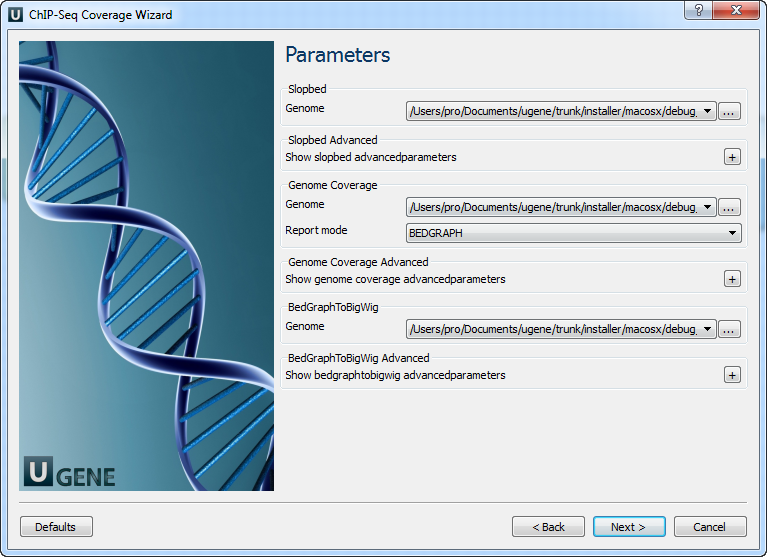
Page 2: Parameters
Modify parameters for SlopBed, GenomeCoverage, and BedGraphToBigWig:
| Parameter | Description |
|---|---|
| Genome | Required by bedtools slop. A genome file that defines the chromosome lengths. (-g) |
| Each direction increase | Extend intervals by N bp in both directions. Overrides -l and -r. (-b) |
| Subtract from start | Subtract N bp from start. (-l) |
| Add to end | Add N bp to end. (-r) |
| Strand-based | Interpret -l and -r based on strand. (-s) |
| As fraction | Interpret -l and -r as a fraction of feature length. (-pct) |
| Print header | Include header from input. (-header) |
| Filter start > end fields | Remove lines with start > end. |
| Report mode | One of: Histogram, Per-base (-dz), Per-base (1-based) (-d), BEDGRAPH (-bg), BEDGRAPH incl. uncovered (-bga) |
| Split | Treat BAM or BED12 entries as blocks. (-split) |
| Strand | Restrict analysis to a strand. Requires strand info in column 6. (-strand) |
| 5 prime | Use only 5’ positions. (-5) |
| 3 prime | Use only 3’ positions. (-3) |
| Max | Combine depths ≥ max into one bin. (-max) |
| Scale | Multiply coverage by a constant (e.g., for RPM normalization). Default is 1.0. (-scale) |
| Trackline | Add UCSC track line. (-trackline) |
| Trackopts | Additional track line definition options. (-trackopts) |
| Block size | Items per R-tree node. (-blockSize) |
| Items per slot | Data points per slot. (-itemsPerSlot) |
| Uncompressed | Disable compression. (-unc) |
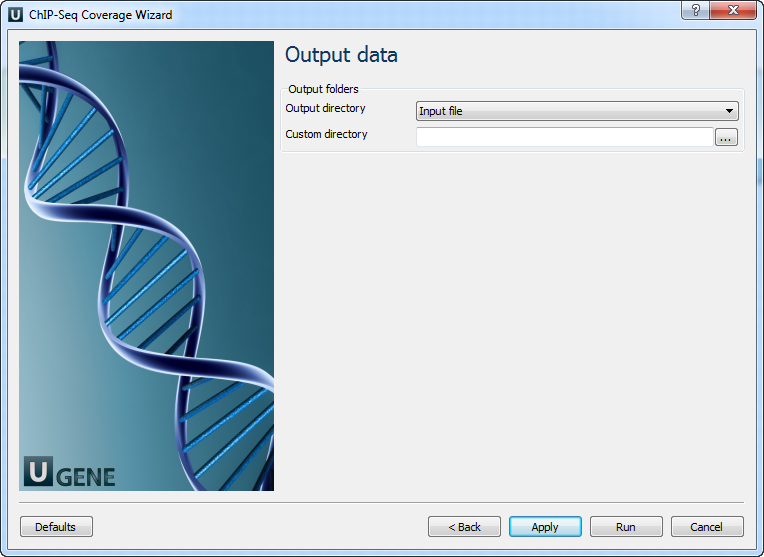
Page 3: Output Files
Select the output directory for the generated BigWig and intermediate files.